


The best cloud gaming services in 2026 have grown up. What used to feel like a laggy experiment is now a genuine way to play demanding games on hardware that could never run them locally. A mid-range laptop, a phone, even a smart TV — if it can stream video, it can now play games. Below, we rank the best cloud gaming services 2026 has to offer.
The pitch is simple: instead of running the game on your device, a powerful server runs it remotely and streams the picture to you. Your inputs go up, the game comes back down. That means no downloads, no installs, and no GPU upgrades every two years. If you are coming from free-to-play PC titles, our list of the best free PC games is a great place to start building your library first.
Before we rank the services, a quick note on expectations. Cloud gaming rewards a good connection far more than good hardware. If your laptop barely copes with modern titles, check out these games that still look amazing on a low-end laptop — they show how much you can squeeze out of modest hardware while you decide whether streaming is for you.
How Cloud Gaming Works in 2026
Every cloud gaming service follows the same basic recipe. You open an app or a web page, pick a game, and you are playing within seconds — no waiting for a 100 GB download.
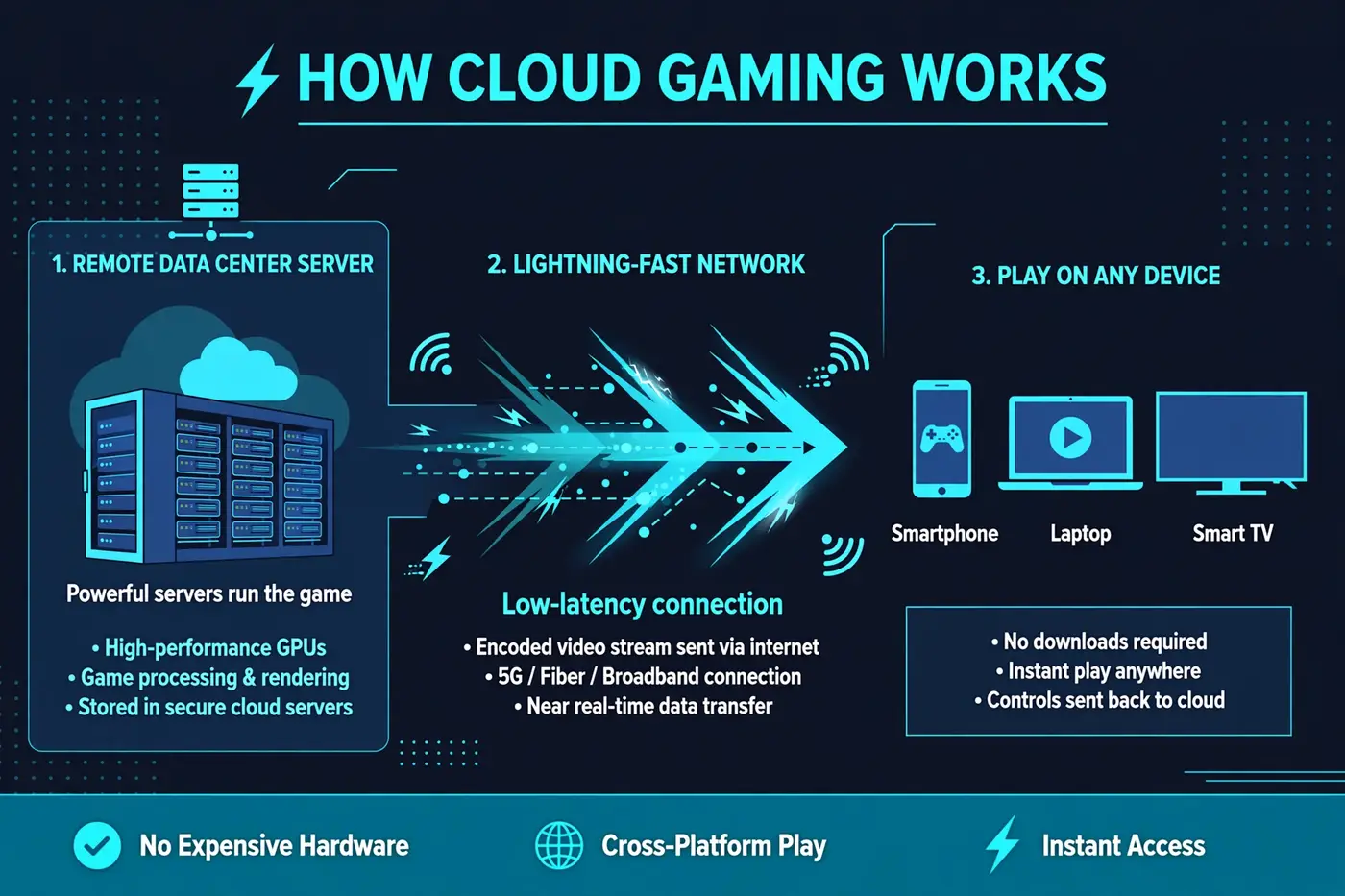
- A game runs on a powerful server in a nearby data center, not on your device.
- The server encodes the gameplay as a video stream, from 1080p up to 4K depending on your plan.
- Your device sends controller and keyboard inputs back to the server with as little delay as possible.
- Since the server does the heavy lifting, your device barely breaks a sweat and your battery lasts longer.
The magic number is latency — the delay between pressing a button and seeing the result. The best services in 2026 measure it in tens of milliseconds, fast enough for action games and shooters, though competitive players still prefer local hardware.
What You Need Before You Subscribe
- Internet speed: aim for at least 25 Mbps for 1080p and 50 Mbps or more for 4K streaming.
- Low latency: a ping under 40 ms to your nearest server matters more than raw download speed.
- A stable connection: use 5 GHz Wi-Fi or, better yet, a wired ethernet cable.
- A controller: most services support Xbox and PlayStation controllers over Bluetooth, and some sell their own.
- Watch your data cap: game streaming uses several gigabytes per hour, so capped plans can run out fast.
The Best Cloud Gaming Services of 2026 Ranked
Not every service works the same way — some stream games you already own, others bundle a library into the subscription. Here are the five that matter, from best overall to best on a budget.
NVIDIA GeForce NOW: Best Overall Quality
GeForce NOW streams games you already own on Steam, Epic, and other PC stores — you buy the game once, NVIDIA rents you the horsepower. In independent 2026 testing it posts the lowest latency and the highest quality ceiling of any service, reaching up to 4K/120 FPS on the Ultimate tier. Pricing starts at a free tier (one-hour sessions with ads), then $9.99/month for Performance and $19.99/month for Ultimate. Paid plans now include a 100-hour monthly cap, so heavy players should watch their usage. If you already own a PC game library, this is the one to beat.
Xbox Cloud Gaming: Best Included Game Library
Included with Xbox Game Pass Ultimate at $22.99/month, Xbox Cloud Gaming offers the largest built-in catalog of any service — hundreds of console and PC games with no separate purchases needed. It is the easiest starting point for someone who owns no games at all. Streaming quality tops out around 1440p, a step below GeForce NOW, and Microsoft is introducing hour-capped plans from November 2026. The real value is the library: new first-party releases land on day one at no extra cost.
PlayStation Plus Premium: Best for PlayStation Exclusives
The only way to stream PlayStation exclusives without a PlayStation. PS Plus Premium costs $19.99/month or $159.99/year, and includes streaming of PS5 and PS4 titles alongside the subscription’s game catalog. If you want to play Sony’s first-party adventures on a laptop or phone, there is no alternative — but if you do not care about exclusives, other services stream more flexibly.
Amazon Luna: Best for Prime Members
Amazon Luna has quietly become one of the easiest services to try, with streaming folded into an Amazon Prime membership for casual players. The standalone Luna+ tier runs $9.99/month. Streaming quality peaks at 1080p, so it is not the pick for 4K TVs — but for playing on a tablet, phone, or Fire TV, the barrier to entry is effectively zero for Prime members.
Boosteroid: Best Budget Alternative
Boosteroid follows the GeForce NOW playbook — stream games you already own — at a noticeably lower price. Annual plans work out to roughly €7.49/month, undercutting every competitor’s paid tier. Note that it bills in euros, so US subscribers see the amount move slightly with the exchange rate. Device support is broad, covering browsers and mobile apps, making it a strong pick for budget-conscious players who already own their games.
Cloud Gaming Services Comparison: 2026 Edition
Here is how the five services stack up at a glance. Prices are approximate US figures as of October 2026 — confirm the current price before signing up.
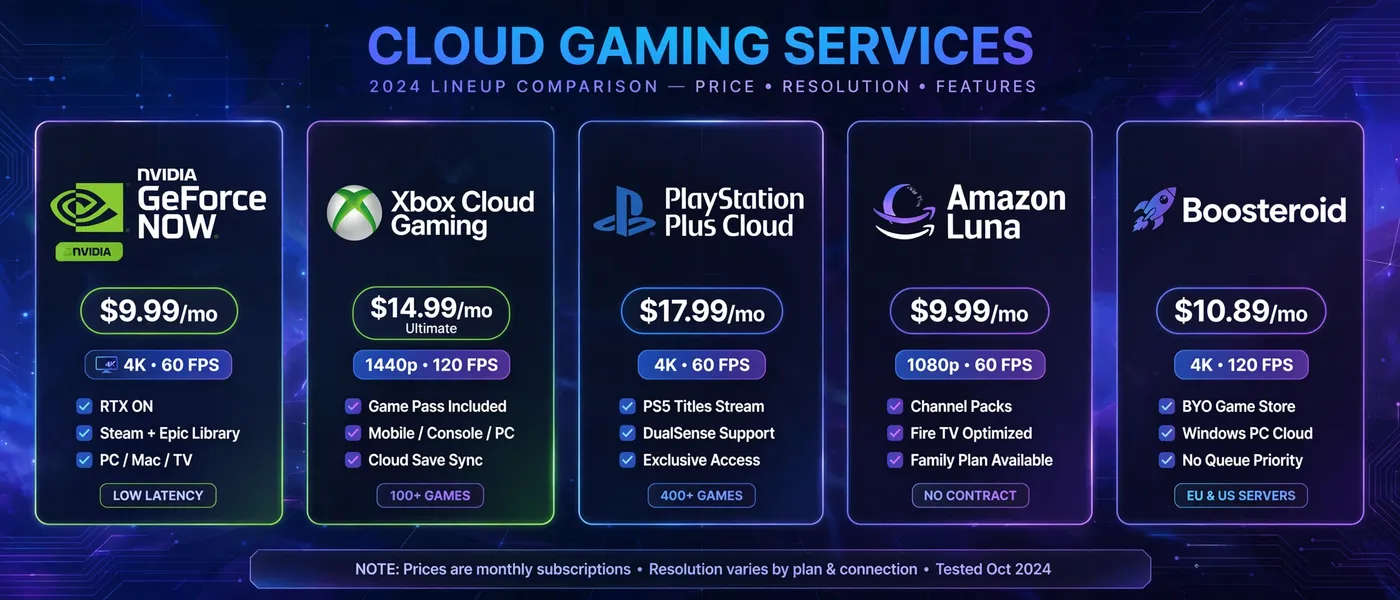
| Service | Monthly price | Model | Max resolution | Best for |
|---|---|---|---|---|
| NVIDIA GeForce NOW | $0 – $19.99 | Stream games you own | Up to 4K 120 FPS | Best quality and lowest latency |
| Xbox Cloud Gaming | $9.99 – $22.99 | Included game library | Up to 1440p | Biggest built-in catalog |
| PlayStation Plus Premium | $19.99 ($159.99/year) | Included + streaming | Up to 4K on select titles | PlayStation exclusives |
| Amazon Luna | Bundled with Prime or $9.99 | Channel-based library | 1080p | Casual Prime members |
| Boosteroid | ~€7.49 (annual plan) | Stream games you own | Up to 4K | Budget buyers with a library |
Cloud Gaming vs Console Gaming
Where cloud gaming wins:
- No expensive hardware — play AAA games on a basic laptop or phone.
- No downloads, installs, or updates — start playing in seconds.
- Play on almost any screen you own, and pick up where you left off.
- Subscription costs are a fraction of a new gaming PC or console.
Where consoles still win:
- Lower input lag — competitive multiplayer feels sharper on local hardware.
- Works offline — cloud gaming is dead the moment your internet drops.
- You own the hardware, and most games keep working without a subscription.
- No data-cap worries and no streaming artifacts during peak hours.
Common Cloud Gaming Problems and Fixes
- Lag or stutter: switch to 5 GHz Wi-Fi or ethernet, and close bandwidth-hungry apps on your network.
- Blurry picture: drop one resolution step — a sharp 1080p beats a struggling 4K.
- Queue times on free tiers: play during off-peak hours, or upgrade to a paid tier that skips the line.
- Controller not detected: reconnect over USB if Bluetooth is flaky, and check the service’s supported-controller list.
- Burning through data: cap your stream at 1080p or lower when on a metered connection.
If you want the full backstory on how this technology evolved, the history of cloud gaming on Wikipedia covers everything from the early 2000s experiments to today’s major services.
Frequently Asked Questions
Is cloud gaming worth it in 2026?
For most players, yes — especially with hardware prices as high as they are. A $10–$23 monthly subscription is a fraction of the cost of a gaming PC, and top services now rival local hardware on image quality. It is a poor fit only if your internet is unreliable.
Which cloud gaming service is the cheapest?
Boosteroid has the lowest paid price at roughly €7.49/month on an annual plan, while GeForce NOW’s free tier costs nothing but caps sessions at one hour with ads. Amazon Luna is effectively free if you already pay for Amazon Prime.
Can I play cloud games on my phone?
Yes — every service on this list supports phones through a native app or a browser. A clip-on controller makes the experience far better than touch controls for action games.
How much internet speed do I need for cloud gaming?
Plan for at least 25 Mbps for smooth 1080p streaming and 50 Mbps or more for 4K. Latency under 40 ms matters more than raw speed, so a nearby server and a stable connection beat a faster but congested one.
Can I keep my game saves if I cancel my subscription?
Usually yes. GeForce NOW and Boosteroid save your games to Steam or Epic’s cloud, so your progress follows your purchases. Library-style services may lose access to the games themselves, but achievements and profiles typically survive.
Final Verdict
The best cloud gaming service in 2026 depends on what you already own. GeForce NOW delivers the best streaming quality and the lowest latency — start there if you have a Steam or Epic library. Xbox Cloud Gaming is the better deal if you own nothing, since hundreds of games come bundled with Game Pass Ultimate. PlayStation Plus Premium is the only choice for Sony’s exclusives, Amazon Luna is the easiest casual option for Prime members, and Boosteroid is the budget pick for players who already own their games.
Whichever you choose, start with a free tier or a single month before committing to a year. Test it on your connection, with your games, in your home. A service that looks perfect on paper means nothing if your network cannot keep up.
