


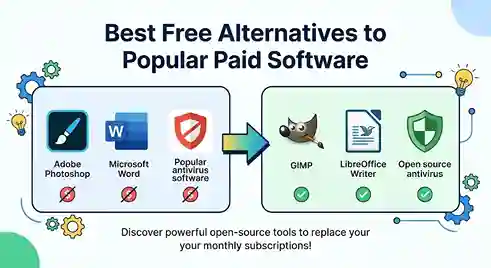
Check your bank statement and count how many Popular Paid Software subscriptions quietly renew every month. A photo editor, an office suite, maybe a video tool for that side project you keep meaning to finish. It adds up to real money over a year, and most people never sit down to add it up.
Free software has gotten a lot better than its reputation suggests. Photo editing, office work, video production, illustration, audio, and 3D modeling can all be handled without a monthly bill attached, and the results hold up.
Here’s an honest rundown of the tools worth actually installing, and where each one fits.
Not All Free Tools Are Worth Your Time
Plenty of “free” software isn’t really free in any useful sense. It nags you to upgrade every five minutes, saves files in odd formats nobody else can open, or drops half the features you actually need behind a paywall.
The tools below aren’t like that. They’re maintained regularly, have people actively building and fixing them, and open the file types you already work with. Several are open source, meaning the code is public and anyone can improve it — which is a big part of why some of these projects have gotten so good.
Put a handful of them together and you can cover most of what a student, freelancer, or hobbyist actually needs in a given week.
GIMP Instead Of Photoshop
GIMP has been the default answer to “free Photoshop alternative” for years, and it earns that reputation.
Layers, masks, selection tools, custom brushes, filters, color correction, path work, retouching — it’s all there. Photo cleanup, thumbnails, website graphics, posters, social posts. None of it requires a subscription.
It won’t replace every specialized Adobe plugin a professional studio depends on. But for bloggers, students, and photographers doing their own editing, GIMP handles far more than people expect before they try it.
Krita For Painting And Illustration
People lump Krita in with GIMP, but they’re built for different jobs. GIMP edits photos. Krita paints.
The brush engine feels natural under a stylus, the canvas stabilizers smooth out shaky lines, and the whole interface is arranged around creating art rather than fixing it. Comic artists, illustrators, and anyone learning digital painting will notice the difference within the first ten minutes of using it.
If drawing from a blank canvas is the goal rather than photo correction, Krita is the better tool, full stop.
LibreOffice As Your Office Suite
LibreOffice covers word processing, spreadsheets, presentations, and drawing in one download, and none of it costs anything.
Writer handles essays and business letters just fine. Calc does budgets, lists, and formula-heavy spreadsheets. Impress builds slide decks that open cleanly almost everywhere.
The catch shows up with complicated files — heavy macros, unusual formatting, proprietary features baked into a client’s original document. Basic files convert without issue. Anything elaborate deserves a test run before you commit to switching for good.
DaVinci Resolve For Serious Video Work
DaVinci Resolve is, frankly, the most impressive piece of free software on this whole list. It’s not a stripped-down editor with a paywall lurking behind every good feature — it’s a real editing, color grading, effects, and audio mixing suite that professionals use on actual film projects.
YouTubers and independent filmmakers can build an entire production pipeline around the free version alone.
It’s not simple to pick up on day one. The learning curve is steep because the toolset is deep, not because it’s poorly designed. Stick with it past the first confusing week and it starts making sense.
Kdenlive For A Simpler Editing Workflow
If Resolve feels like too much, Kdenlive is the more approachable option. Multi-track editing, transitions, titles, effects — everything a tutorial creator or interview editor actually reaches for, without the steeper learning curve.
It’s developed in the open, which matters to editors who’d rather avoid the commercial subscription model entirely.
Inkscape For Vector Graphics
Inkscape is where people land when they need Illustrator-style vector work without the Illustrator price tag.
Logos, icons, diagrams, signage — anything that needs to scale up or down without turning blurry. Its SVG handling is particularly strong, which makes it useful for web graphics too, not just print.
Illustrator still wins for studios locked into Adobe’s broader workflow. For most vector drawing tasks outside that ecosystem, Inkscape gets the job done.
Blender For 3D Work
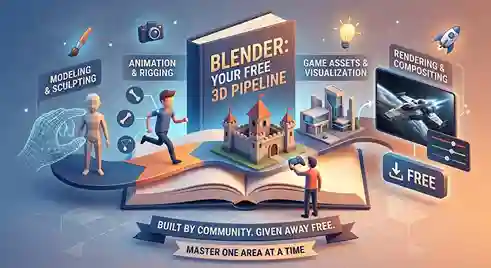
Blender deserves the reputation it has. Modeling, sculpting, rigging, animation, rendering, simulation, compositing — a full 3D production pipeline, built by a community, given away for free.
Game studios use Blender for asset creation. Independent animators use it for entire short films. Architects use it for visualization mockups. That range says something.
New users tend to get overwhelmed trying to learn everything at once. Pick one area first — modeling is usually the easiest entry point — and expand from there once it feels comfortable.
Audacity For Recording And Editing Audio
Audacity has stayed relevant for a reason: it does the basics extremely well. Recording, trimming, noise cleanup, level adjustments, simple effects — the stuff most people actually need for a podcast episode or a voiceover track.
It’s not built for a mixing engineer working on a studio album. For everyone else recording voice or basic music projects, it’s plenty.
OBS Studio For Recording And Streaming
OBS Studio pulls together your screen, webcam, and microphone into scenes you can switch between live. That’s the whole pitch, and it’s a strong one.
Gaming streams, software tutorials, online classes, recorded presentations — OBS handles the capture side of all of it without charging a cent.
It doesn’t edit footage after the fact. Most people pair it with Resolve or Kdenlive once recording wraps up.
Darktable For RAW Photography
Photographers shooting RAW need a structured, non-destructive workflow, and Darktable delivers one. Exposure correction, color grading, cropping, sharpening, noise reduction — the standard toolkit before an image gets exported.
The interface takes some getting used to. Photographers coming from a more polished commercial tool should expect a short adjustment period, not an intuitive first hour.
7-Zip For Compressing Files
File compression barely justifies a paid tool in the first place, and 7-Zip proves that point. It compresses, extracts, and handles the common archive formats while staying light on system resources.
Sending a folder to a client, shrinking a download, packaging project files — 7-Zip covers it without fuss.
Thunderbird For Desktop Email
Thunderbird brings multiple email accounts, contacts, and a calendar into one desktop application. Straightforward, no subscription attached.
Businesses tied deeply into Microsoft’s ecosystem will probably stay with Outlook. Freelancers and personal users who just want a solid inbox manager get everything they need here.
Joplin For Notes
Joplin is built around notebooks, tags, attachments, and Markdown writing. No flashy extras, no attempt to be an all-in-one productivity platform — just organized notes that stay organized.
Students tracking research, writers drafting long projects, and developers keeping technical notes all tend to land here once they get tired of subscription note apps.
Penpot For Interface Design
Penpot is open source and built specifically for UI and UX work — screens, prototypes, collaborative design reviews.
It doesn’t match every feature of the big commercial design platforms yet. For interface projects and teams that care about open standards over proprietary lock-in, it’s a genuinely solid option, not just a consolation prize.
Bitwarden For Password Management
Reusing the same three passwords everywhere is how accounts get compromised. Bitwarden’s free tier stores and organizes login credentials in one encrypted vault instead.
Paid password managers throw in extra features, sure. For most individual users just trying to stop reusing passwords, the free tier already solves the actual problem.

A Practical Setup For Students
Assignments and presentations go through LibreOffice. Image editing goes through GIMP, digital art through Krita. Audio projects run through Audacity, screen recordings through OBS, and any 3D coursework through Blender.
That combination cuts a student’s software costs to nearly nothing while still teaching real, professional-grade tools instead of watered-down student editions.
A Practical Setup For Freelancers
Every recurring subscription eats directly into a freelancer’s margin, so the calculation here is different. Design work runs through GIMP and Inkscape. Video editing runs through Resolve or Kdenlive. Document work runs through LibreOffice.
The one thing worth double-checking before switching entirely: Client compatibility. Confirm the free tool exports the formats and quality your clients actually expect before dropping the paid version for good.
A Practical Setup For Content Creators
Recording runs through OBS. Editing runs through DaVinci Resolve. Thumbnails and artwork come out of GIMP or Krita. Audio cleanup happens in Audacity.
Strung together, that’s a full production pipeline — recording through publishing — without a single paid creative subscription in the mix.

2 Comments
Pingback: Best Note-Taking Apps in 2026: Top Picks
Pingback: Best Password Managers in 2026: Stay Secure Easily