


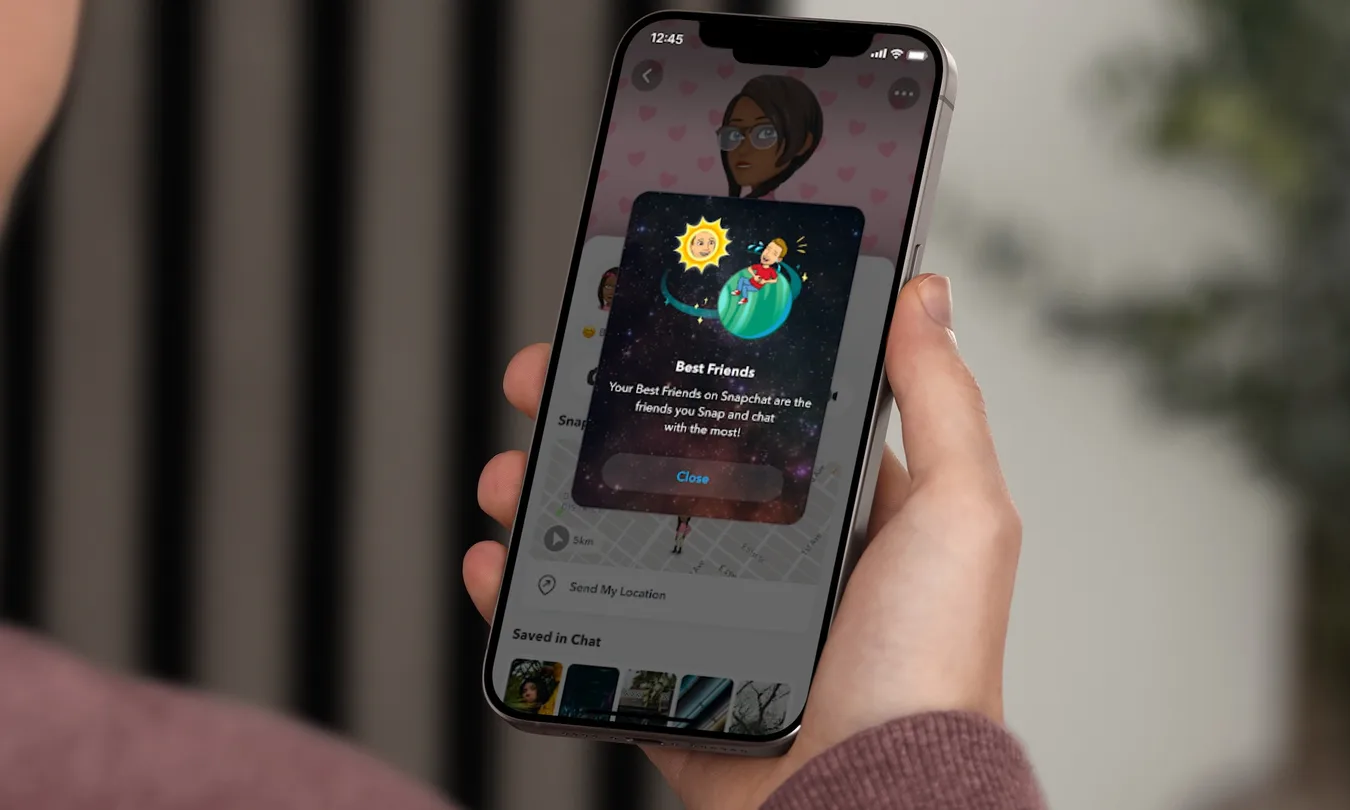
Snapchat+ offers a range of exclusive features, and Snapchat Planets is one of the most intriguing. As part of the app’s Friend Solar System, this feature turns your Best Friends list into a planetary ranking, with each of your top eight friends represented by a different planet based on your level of interaction.
Mercury represents your closest friend, while Neptune marks your eighth closest friend. The feature provides a simple visual way to see where your friends rank based on how frequently you interact with them. But what does each planet mean, and how does Snapchat determine these rankings?
Here’s a complete guide to Snapchat Planets, covering the planet order, what each position means, and how you can check your own Friend Solar System.
Snapchat Planets Order
Snapchat’s Friend Solar System uses the same planetary sequence as our actual solar system. Each of the eight planets represents one of your top Best Friends, with the closest planet to the Sun indicating the friend you interact with the most.
The Snapchat Planets order is:
- Mercury
- Venus
- Earth
- Mars
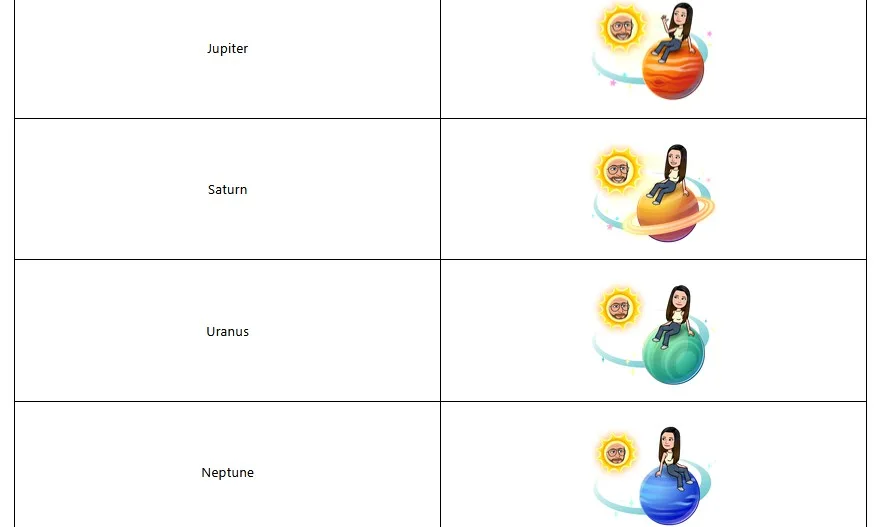
- Jupiter
- Saturn
- Uranus
- Neptune
So, just like in the real solar system, Pluto doesn’t make the list.
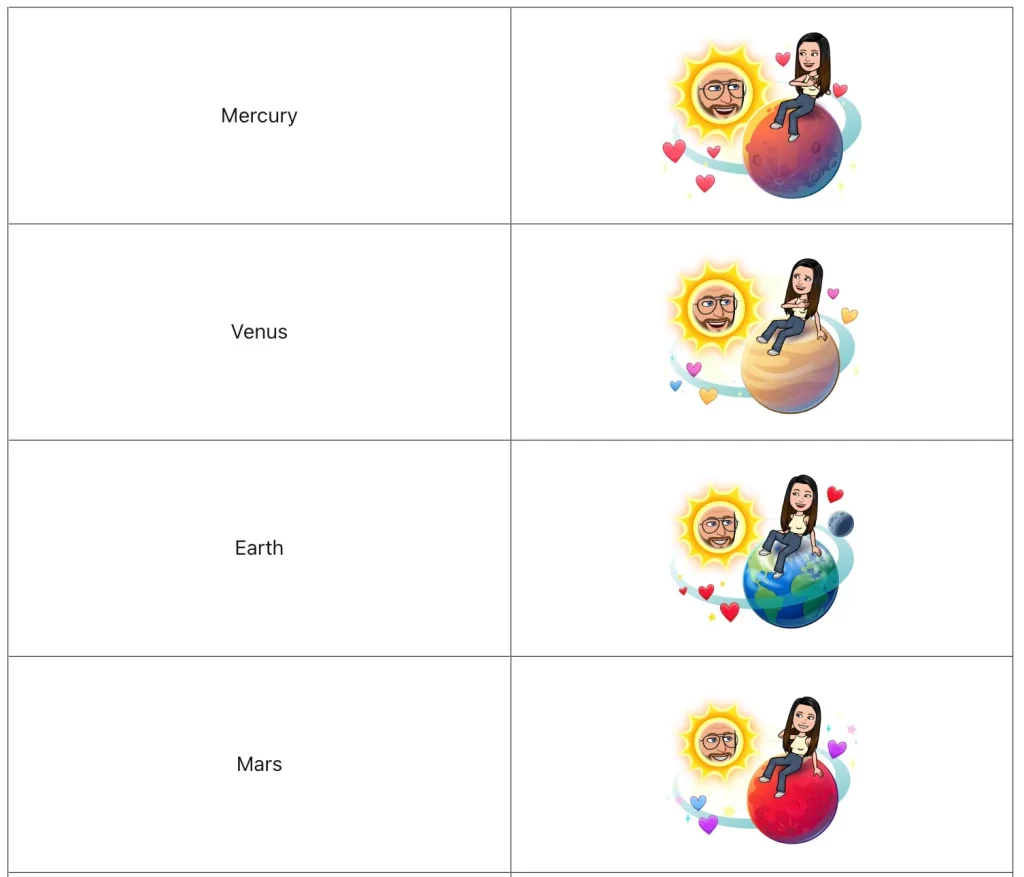
Each planet corresponds to a specific position in your Best Friends ranking rather than representing a particular type of friendship. Mercury is assigned to the friend you interact with most, while Neptune represents your eighth-closest friend. These rankings can change over time as your Snapchat activity and interactions with friends change.
Snapchat Planets: What Each Ranking Means
Each Snapchat Planet represents a specific position on someone’s Best Friends list, rather than a different type of friendship. Mercury indicates the friend they interact with most, while Neptune represents their eighth-closest friend. The other planets fill the rankings in between, from second through seventh place.
| Planet | Best Friends Rank | What it means |
| Mercury | #1 | You’re their closest Snapchat friend based on interactions. |
| Venus | #2 | You’re their second closest Snapchat friend. |
| Earth | #3 | You’re their third closest Snapchat friend. |
| Mars | #4 | You’re their fourth closest Snapchat friend. |
| Jupiter | #5 | You’re their fifth closest Snapchat friend. |
| Saturn | #6 | You’re their sixth closest Snapchat friend. |
| Uranus | #7 | You’re their seventh closest Snapchat friend. |
| Neptune | #8 | You’re their eighth closest Snapchat friend. |
The planets are simply a visual way to show your Best Friends ranking and don’t indicate how strong or meaningful a friendship is. Since the ranking is based on your Snapchat interactions, it can shift over time. For example, a friend ranked as Mercury today could move to Venus or Mars as your activity with them changes.
How Snapchat’s Friend Solar System Works
Snapchat’s Friend Solar System is a Snapchat+ feature that turns your Best Friends list into a visual ranking based on the eight planets in our solar system. Instead of showing a standard numbered list, Snapchat assigns each of your top eight friends a planet according to how frequently you interact with them on the app.
The closer a planet is to the Sun, the higher that friend ranks on your Best Friends list, giving you an easy way to see where you stand with each person.
Your position in the Friend Solar System can change over time. As your Snapchat activity shifts through snaps, chats, and other interactions, your rankings may move accordingly. Snapchat hasn’t revealed the exact factors used to calculate these positions, so there’s no guaranteed method for moving someone higher on your list other than increasing your interactions with them.
Best Friends vs. Friends Badges
The Friend Solar System is based specifically on your Best Friends list, while Snapchat also uses Friends and Best Friends badges on profiles. These indicate different things.
A Best Friends badge means you and another user are among each other’s closest Snapchat contacts. A Friends badge simply indicates that you’re friends on Snapchat and doesn’t necessarily mean the ranking is mutual. For example, someone could be your Mercury while you hold a different position—or no position at all—in their Friend Solar System.
How to See Your Snapchat Planet
Checking your Snapchat Planet is straightforward once you know where to look. However, the Friend Solar System is a Snapchat+ feature, so you’ll need an active Snapchat+ subscription to access your planetary rankings.
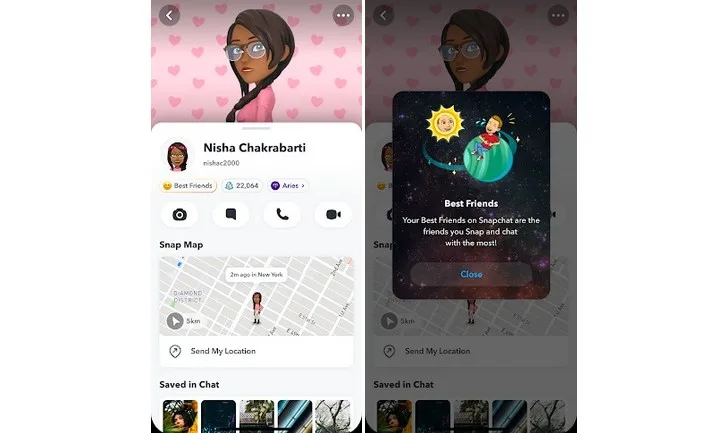
- Step 1: Open Snapchat.
- Step 2: Go to a friend’s Friendship Profile.
- Step 3: Look for a Best Friends or Friends badge with a gold ring around it.
- Step 4: Tap the badge.
- Step 5: Snapchat will show which planet you are in that friend’s Solar System.
If you do not see a badge, it usually means you either do not have Snapchat+, Friend Solar System is not enabled, or you are not in that person’s visible friend ranking.
How to turn on Snapchat Planets
Before you can use Snapchat Planets, you need Snapchat Plus. Pricing can vary by region and plan, so the safest way to check the current cost is inside the Snapchat app or through Snapchat’s subscription page. Snapchat also offers multiple Plus-related plans in some regions, and availability can vary.
Once you have Snapchat Plus, you may still need to turn on Friend Solar System manually.
- Step 1: Open Snapchat and go to your profile.
- Step 2: Tap your Snapchat Plus membership card or banner.
- Step 3: Open the Snapchat Plus feature management page.
- Step 4: Find Solar System or Friend Solar System.
- Step 5: Toggle it on.
