


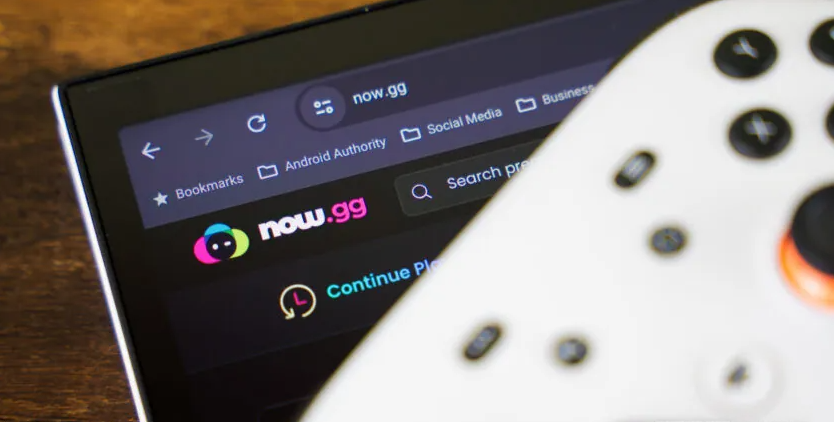
If you’re looking to play mobile games through the cloud, now.gg offers a wide selection of popular titles. From well-known games to trending favorites, there’s plenty to choose from in our roundup of the best now.gg games. Roblox is also available, giving you an easy way to jump into the game without installing it directly on your device. Here’s how to play Roblox on now.gg and start building, exploring, and playing right away.
What is now.gg?
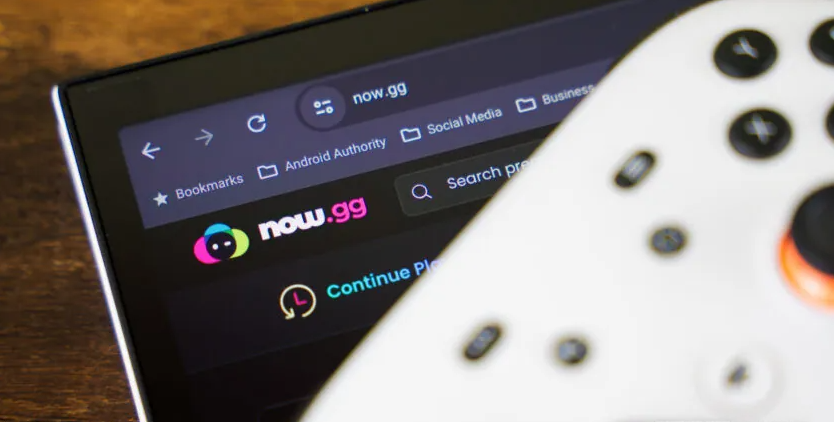
now.gg is a cloud gaming platform designed primarily for mobile games, allowing you to play titles directly through a web browser without installing them on your device. You can access the platform from a PC, smartphone, tablet, or even an Xbox console through its built-in web browser.
Since now.gg runs games directly through your browser, you don’t need to download apps or game files. The main requirement is a reliable internet connection. now.gg recommends at least 5 Mbps of bandwidth and a ping below 40 ms for a smoother experience.
The overall performance is impressive, too. During testing, games ran smoothly with minimal issues. now.gg supports several input methods, including keyboards, mice, gamepads, and touch controls. Best of all, the service is free to use, although it is ad-supported, and some of the ads can be quite intrusive.
Should I Create a now.gg Account?
If you plan to play Roblox or other games on now.gg regularly, creating an account is a good idea. Signing in makes it easier to keep track of your activity and access your games. Roblox can save progress through its own servers, but having to sign in repeatedly can become frustrating, especially when you encounter Roblox’s security verification puzzles.
A now.gg account also unlocks additional features, including social tools, trophies, content streaming, and more. The account is free to create, so there’s little reason not to sign up if you use the platform frequently.
How to Create a now.gg Account
- Open your web browser and visit the now.gg website.
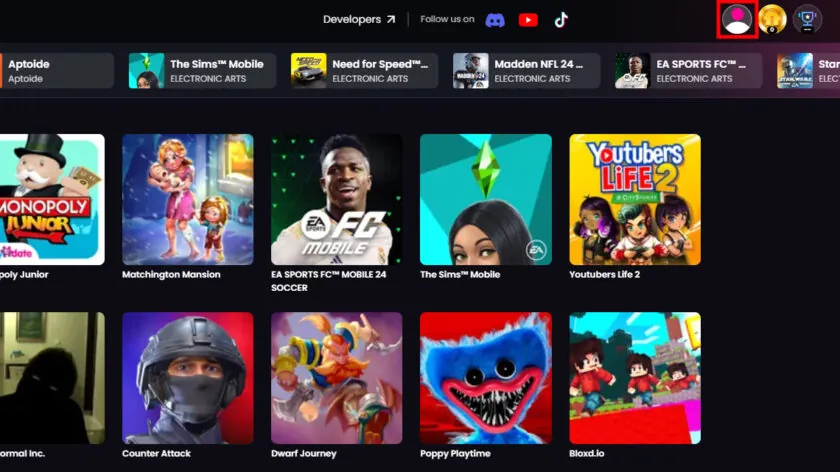
- Select the profile icon in the top-right corner.
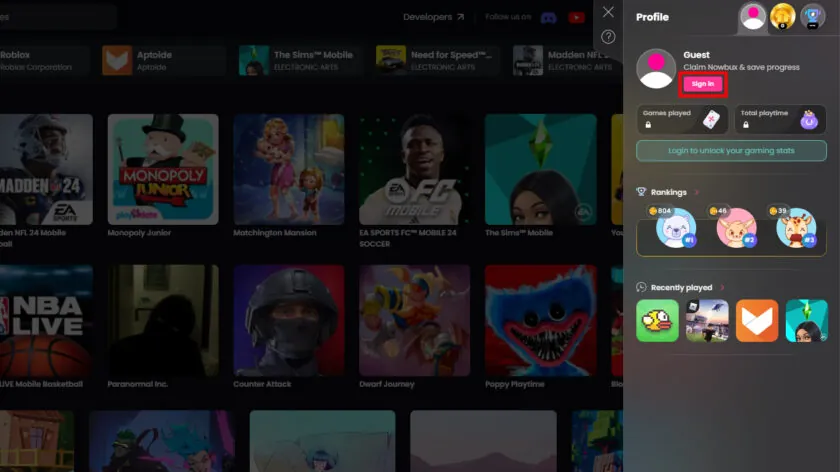
- Click Sign In.
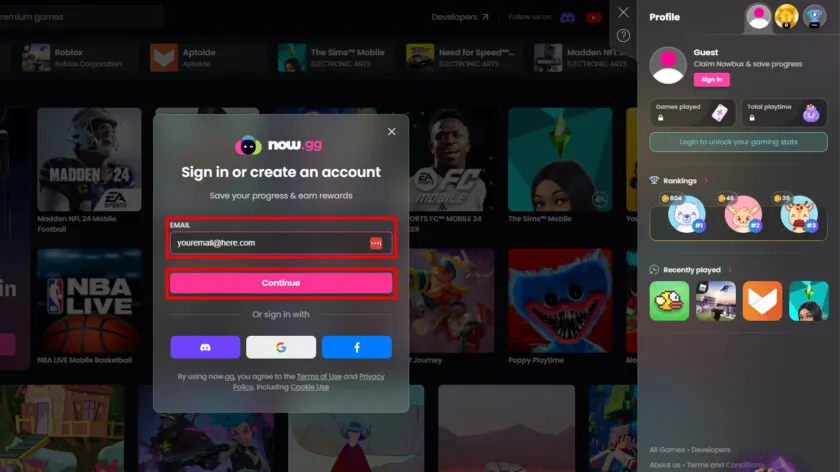
- Enter your email address and select Continue.
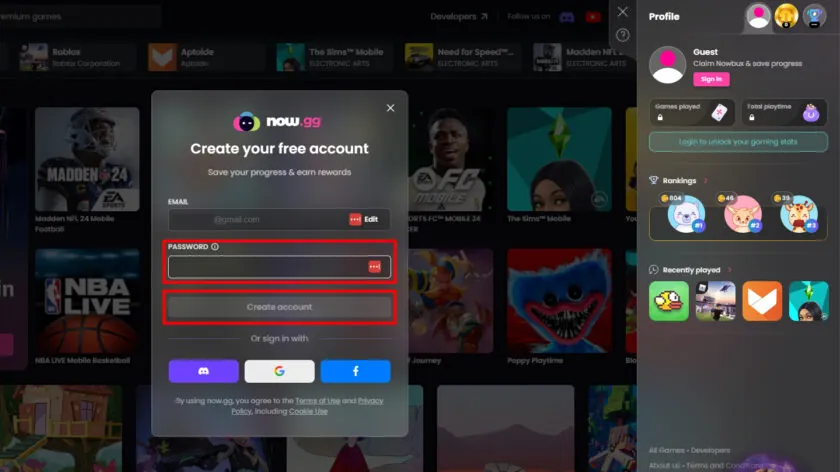
- Enter your password and choose Create Account.
- Your now.gg account is ready to use.
How to Play Roblox on now.gg
Once your now.gg account is ready, you can launch Roblox directly from your browser. Just follow these simple steps:
- Open your browser and visit the now.gg website.
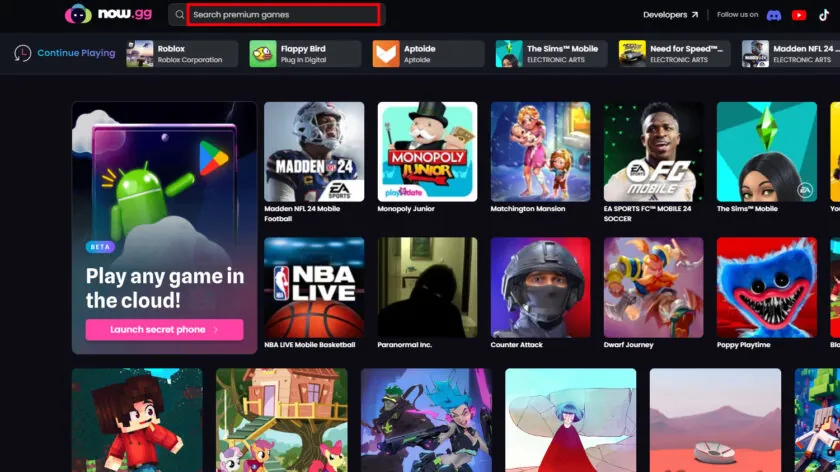
- Use the search bar and enter Roblox.
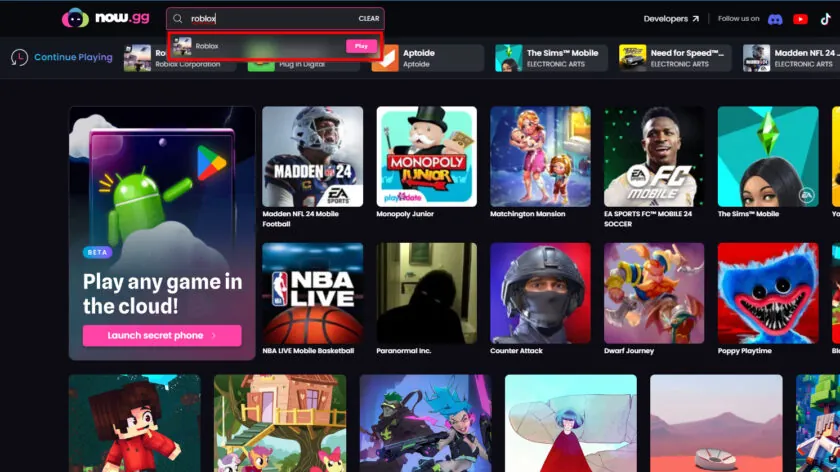
- Select Roblox from the search results.
- now.gg may show a short advertisement before launching the game.
- Once Roblox loads, select Sign Up or Log In and follow the on-screen instructions.
That’s it—you can now start playing Roblox through your browser without installing the game.
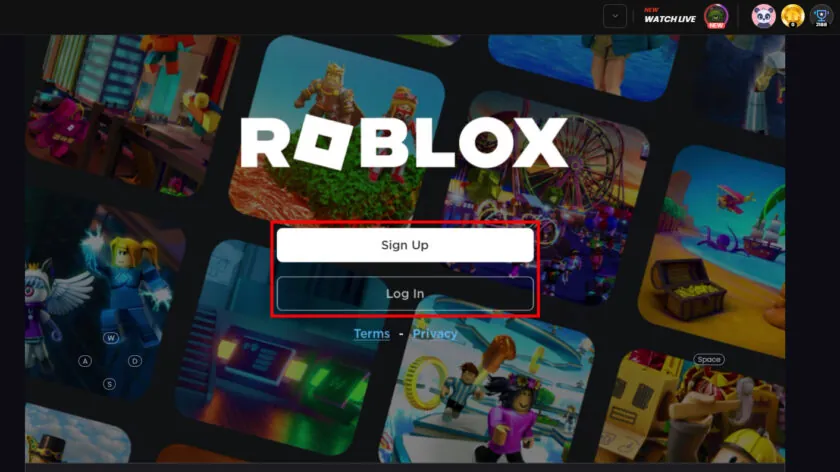
The official version of Roblox seems to no longer be available, but a third-party version has been uploaded and it works just as well.
FAQs
What is now.gg?
now.gg is a cloud gaming platform that lets you play supported mobile games directly through a web browser without installing them.
Can I play Roblox on now.gg?
Yes, Roblox is available on now.gg, allowing you to access the game through a compatible web browser.
How do I play Roblox on now.gg?
Visit the now.gg website, search for Roblox, select the game, and follow the on-screen instructions to launch it.
Do I need to download Roblox to play it on now.gg?
No. Since now.gg runs Roblox through cloud streaming, you can play it directly from your browser without downloading the game.
Is now.gg free to use for Roblox?
Yes, you can play Roblox on now.gg for free. The platform is ad-supported, so you may see advertisements before or during the gaming experience.
Do I need a now.gg account to play Roblox?
You can access games without necessarily creating an account, but signing in is recommended if you plan to use now.gg regularly and want access to additional platform features.
What internet speed do I need for Roblox on now.gg?
now.gg recommends around 5 Mbps of bandwidth and a ping below 40 ms for a smoother cloud gaming experience.
Can I play Roblox on now.gg using a phone or tablet?
Yes. You can access now.gg through a compatible browser on devices such as smartphones, tablets, computers, and supported consoles with a web browser.
Conclusion
Playing Roblox on now.gg is a convenient option if you want to enjoy the game without installing it directly on your device. All you need is a compatible browser, a stable internet connection, and your Roblox account. Simply search for Roblox on now.gg, launch the game, and sign in to start playing. With cloud streaming, you can access Roblox across multiple devices while saving storage space on your system.
