



AI agents are one of the most important technology shifts of 2026. Unlike chatbots that only answer questions, modern AI agents take multi-step action on your behalf: researching options, filling in forms, booking travel, and organizing your digital life. If you are new to this technology, the best free AI tools you can try in 2026 are a practical place to start experimenting.
The promise is simple: instead of switching between ten apps to get something done, you describe the outcome once and the agent handles the busywork. Trip planning is a classic example. A single command such as “plan a three-day weekend in Istanbul under $800” becomes flights compared → hotels shortlisted → a day-by-day itinerary drafted → everything ready for your approval.
This guide explains what AI agents can genuinely do today, compares the leading options, and shows how to set up your first automation safely. Many users get the best results by combining general-purpose assistants with platform-specific ones, for example pairing everyday helpers with the powerful ChatGPT features most people still don’t use to accomplish more with less effort.
What Are AI Agents?
An AI agent is a software system that perceives its environment, makes decisions, and takes action to achieve a goal you set. Traditional AI tools wait for your next prompt. AI agents, by contrast, break a goal into steps, use apps and websites on your behalf, check their own work, and report back.
The key difference from a chatbot is agency. A chatbot answers the question “what is a good hotel in Lahore?” An AI agent goes further: it compares hotels against your budget and dates, checks reviews, summarizes the trade-offs, and prepares a booking for your final approval.
How AI Agents Work in 2026
Under the hood, AI agents combine large language models with planning, memory, and tool access. The process usually follows the same pattern regardless of which product you use.
Understanding Your Intent
First, the agent interprets your plain-English instruction and clarifies ambiguities. “Handle my inbox this morning” becomes a concrete plan: summarize unread messages, flag urgent ones, and draft replies for your review.
Planning Multiple Steps
Next, the agent sequences the task. Booking a trip, for example, becomes search flights → compare prices → shortlist hotels → build itinerary → present options. If one step fails, the agent adjusts rather than giving up.
Using Tools and Taking Action
Finally, the agent acts through connected tools: browsers, email, calendars, spreadsheets, and apps. Modern agents can fill out web forms, analyze uploaded files, and chain several tools together in one workflow.
Everyday Tasks AI Agents Can Automate Right Now
The most useful AI agents of 2026 are not futuristic lab experiments. They are already handling ordinary chores for millions of people. Here are the areas where they deliver the most value today.
Research and Compare Shopping Options
Agents can read dozens of product pages, compare specifications and prices, and summarize the best options for your budget. Instead of twenty open tabs, you get one clear shortlist.
Plan Trips From Start to Finish
Give an agent your destination, dates, and budget, and it compares flights, shortlists hotels, and drafts a day-by-day itinerary. You review and approve before anything is booked.
Tame Your Inbox
AI agents now summarize your day ahead each morning, extract invoice amounts and due dates from attachments, and draft replies in your tone for approval. The typical workflow looks like this: new emails arrive → agent summarizes priorities → drafts prepared → you approve or edit.
Handle Spreadsheet Busywork
Upload a CSV and an agent can analyze the data, chart trends, reconcile two lists, and flag anomalies. Monthly reports that once took an afternoon can shrink to minutes of review.
Organize Files and Photos
Natural-language search makes finding things effortless. Ask “find the invoice from that Delhi vendor last month” and the agent locates it across your cloud storage without you remembering the filename.
AI Agent Comparison: ChatGPT Agent vs Gemini vs On-Device Agents
Three approaches dominate in 2026, and they suit different needs. Many experienced users run one general-purpose agent alongside one that lives inside their existing apps.
| Capability | ChatGPT Agent | Gemini Agent | On-Device Agent |
|---|---|---|---|
| Best for | General research, planning, analysis, forms, and drafts | Working inside Gmail, Calendar, and Drive | Private, everyday automation on your phone |
| Ecosystem | Cross-platform, works across many apps | Strongest within Google Workspace | Tied to your device (e.g., newer iPhones) |
| Internet required | Yes | Yes | Many tasks work offline |
| Privacy model | Cloud processing | Cloud processing | Processed locally on the device |
| Typical user | Anyone wanting a versatile assistant | Google Workspace power users | Privacy-conscious mobile users |
There is no single winner. ChatGPT Agent is the most versatile generalist, Gemini is the natural choice if your life runs on Google apps, and on-device agents are ideal when privacy matters most.
On-Device AI Agents and Privacy in 2026
On-device agents, such as Apple Intelligence on newer iPhones, process requests locally instead of sending your data to the cloud. This enables a new class of private automation.
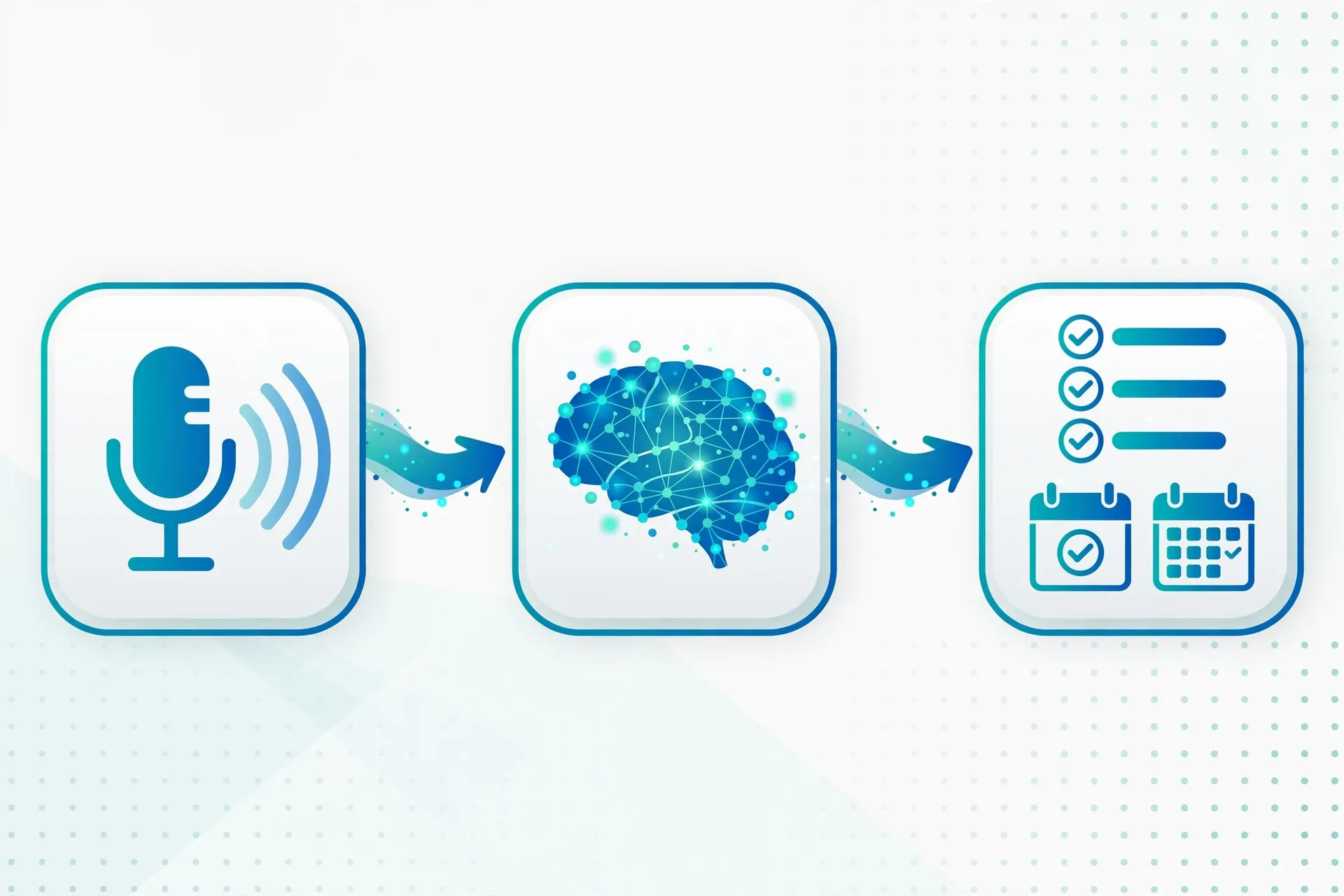
For example, an on-device agent can draft contextual email replies in your own writing style without uploading your messages anywhere. Voice commands become recurring workflows: “every morning at 8am, summarize my unread emails” becomes voice command → agent parses intent → recurring workflow created → briefing delivered daily.

The trade-off is capability. Cloud agents handle more complex multi-step research, while on-device agents excel at personal, privacy-sensitive tasks like email, messages, calendar, and photo search.
How to Build Your First AI Agent Automation
You do not need to be a programmer. Plain-English “recipe” automations let anyone describe what they want in everyday language and let the agent build the workflow. Many recipes are shareable, so you can start from templates others created.
Step 1: Pick One Repetitive Task
Start small. Good first candidates are morning briefings, weekly calendar summaries, or fitness check-ins. Choose something you do at least three times a week.
Step 2: Describe the Recipe in Plain English
Write exactly what should happen and when. For example: “Every weekday at 8am, summarize my unread emails, list today’s meetings, and remind me of anything due tomorrow.”
Step 3: Set Triggers and Approval Rules
Decide when the automation runs and what needs your approval. A safe pattern: the agent prepares drafts and summaries automatically but never sends messages or spends money without your explicit confirmation.
Step 4: Test for a Week, Then Refine
Run the recipe for a few days and adjust the wording. Small changes to your instructions — more detail here, a constraint there — noticeably improve reliability.
Are AI Agents Safe? What to Watch Out For
AI agents are powerful, which means they need boundaries. The safest approach is human-in-the-loop: the agent analyzes and recommends, while a person approves anything consequential.
- Keep high-stakes decisions human. Do not hand agents independent control of hiring or firing, large payments, legal or medical decisions, or security permissions.
- Review before anything is sent or spent. Drafts are cheap; mistakes in sent emails or bookings are not. Keep approval steps on for outbound actions.
- Know where your data goes. Cloud agents process your information on remote servers. For sensitive email or documents, prefer on-device processing where possible.
- Watch for over-dependence. Agents are convenient, but blindly trusting their summaries can mean missing context. Skim the originals on anything important.
- Start with low-risk tasks. Build trust with summaries and research before graduating to bookings, purchases, or account changes.
For the technical foundations of this field, see the overview of intelligent agents on Wikipedia.
Frequently Asked Questions
What is the difference between AI agents and chatbots?
Chatbots respond to prompts with text. AI agents take multi-step actions: they plan, use tools and apps, check their own results, and complete tasks such as booking travel or organizing your inbox.
Which AI agent should I start with in 2026?
Start with a general-purpose option like ChatGPT Agent for research and planning. If you live in Google Workspace, the Gemini agent is the natural fit. For private phone-based tasks, try your device’s on-device agent.
Do AI agents cost money?
Many basic agent features are free or included in existing subscriptions, while advanced automation and higher usage tiers usually require a paid plan. Check the current pricing of the product you choose before committing.
Can AI agents work offline?
Cloud-based agents need an internet connection. On-device agents can handle many personal tasks — email drafts, calendar summaries, photo search — entirely offline.
Are AI agents safe for financial tasks?
They can help with research and summarizing statements, but keep a human in the loop. Never give an agent independent control over large payments or account permissions without approval steps.
Conclusion
AI agents in 2026 have moved from novelty to utility. They research and compare shopping options, plan trips, tame inboxes, crunch spreadsheets, and run quietly on your phone while keeping your data private. The winners in this shift will not be the people with the most powerful agent, but the people who start with one small automation, keep a human in the loop, and gradually hand over the busywork.
Pick one repetitive task from your week, write it as a plain-English recipe, and let an AI agent handle it. Your future self — with an empty inbox and a planned weekend — will thank you.
