


Searching for the best password managers in 2026? We compared the top tools on security, price, and ease of use, so you can lock down every account without the headache.
Why You Need a Password Manager in 2026
Most people reuse the same handful of passwords across dozens of accounts. The average person now juggles well over a hundred logins — banking, email, streaming, shopping — and memorizing a unique strong password for each one is beyond any human memory. That is exactly why the best password managers in 2026 have become essential software, not a nice extra.
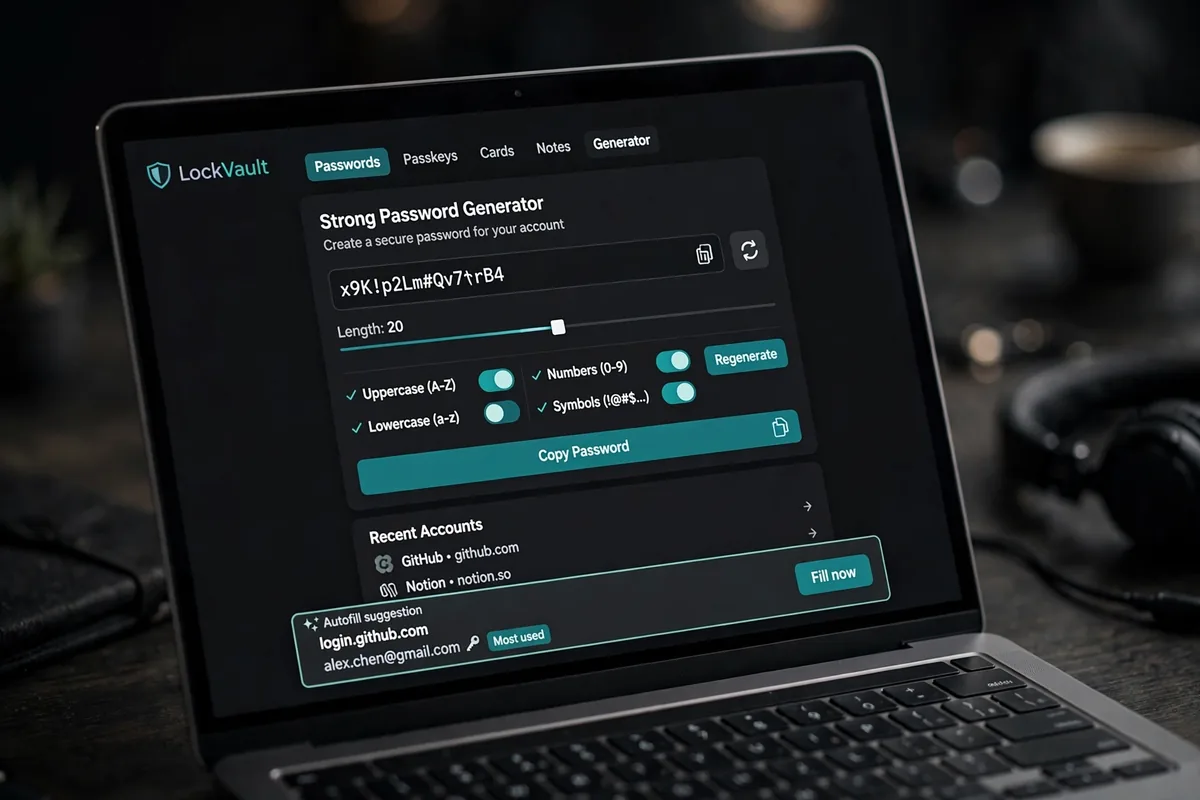
A password manager stores every login in an encrypted vault, generates long random passwords you never have to remember, and fills them in automatically at sign-in. Instead of juggling weak passwords, you memorize just one strong master password. If you are building out your everyday toolkit, also check our roundup of the best free alternatives to popular paid software — several of these security tools offer generous free tiers.
Switching to a password manager is one of the highest-impact security upgrades you can make, and it takes less than an afternoon. Keep your security workflow organized alongside your notes with our guide to the best note-taking apps for 2026.
How We Ranked the Best Password Managers in 2026
We judged each password manager on the criteria that matter most to real users:
- Encryption architecture: zero-knowledge design — the provider can never see your data — using AES-256 or XChaCha20 encryption.
- Independent audits: recent third-party audits or certifications such as SOC 2 Type 2 verifying the security claims.
- Passkey support: FIDO2 passkey storage and login, since passkeys are steadily replacing passwords.
- Built-in authenticator: TOTP code generation for two-factor logins without a separate app.
- Cross-platform apps: reliable apps for Windows, macOS, Android, iOS, and browser extensions with instant sync.
- Price and free tier: fair pricing with a genuinely useful free option wherever possible.
- Extras: emergency access, breach and dark-web monitoring, and secure sharing for families.
Only tools that scored well across all of these made our shortlist of the best password managers in 2026. Here are the winners.
Bitwarden: Best Overall Password Manager
Bitwarden remains the best password manager for most people in 2026, combining top-tier security with a fully featured free plan. It is open source and independently audited, using AES-256 encryption in a zero-knowledge architecture — even Bitwarden’s own servers cannot read your vault.
Why Bitwarden wins
- Free plan with unlimited passwords and unlimited devices — rare among top tools.
- Open-source code anyone can inspect, backed by regular independent audits.
- Self-hosting option for advanced users who want full control of their data.
- Built-in TOTP authenticator, passkey support, and emergency access on paid plans.
Pricing and downsides
Premium costs around $19.80 per year after a January 2026 increase — still the cheapest paid plan on this list. The trade-offs are modest: the interface is functional rather than polished, and autofill occasionally misses a field on tricky sites.
1Password: Best Premium Password Manager Experience
For the most polished password manager available, choose 1Password. Its apps are fast, beautiful, and remarkably consistent across every platform, with some of the most reliable autofill in the business.
Standout features
- Travel Mode: one toggle removes selected vaults from your devices — ideal protection at border crossings.
- Watchtower dashboard flags weak, reused, or breached passwords with clear fix guidance.
- Excellent passkey support and a strong family plan with easy item sharing.
What to know
There is no free tier beyond a trial, and the individual plan rose to about $47.88 per year after a March 2026 increase. You pay for the polish — and most subscribers find it worth every penny.
NordPass: Best Budget Password Manager for Families
NordPass, from the company behind NordVPN, is the standout for budget-conscious families. Its family plan — up to six users — costs around $2.58 per month, the cheapest family option among the major password managers.
Why families like it
- Modern XChaCha20 encryption in a zero-knowledge design.
- Cure53 security audit and SOC 2 Type 2 certification for enterprise-grade assurance.
- Clean, beginner-friendly interface with passkey support and a password health checker.
Individual users get a solid free tier too, though it covers only one device at a time. For a household upgrading security together, NordPass is hard to beat on value.
Dashlane: Best Password Manager for Extra Security Features
Dashlane goes beyond basic storage with a focus on proactive protection. Its credential-risk monitoring watches your accounts and alerts you the moment your details appear in a breach or on the dark web.
Key strengths
- Built-in VPN and dark-web monitoring included with the main plan.
- Fast, intuitive autofill and a well-designed onboarding flow.
- Strong passkey support across all major platforms.
The individual plan runs about $45 per year, and there is no free plan — only a trial. Dashlane suits users who want maximum automated monitoring without managing extra tools.
Proton Pass: Best Privacy-Focused Password Manager
From the team behind Proton Mail and Proton VPN, Proton Pass is built for people who put privacy first. It is open source, protected by strong Swiss privacy laws, and integrates neatly with the Proton ecosystem.
Privacy highlights
- Generous free tier with unlimited logins on unlimited devices.
- Built-in email aliasing (hide-my-email) to mask your real address at sign-up.
- Passkey support and TOTP codes included without paying extra.
Paid plans start around $1.99 per month, adding more aliases and faster sync. If you already use Proton’s other apps, Proton Pass slots in seamlessly.
KeePassXC: Best Free Offline Password Manager
KeePassXC takes a different approach: it stores your encrypted database locally in a .kdbx file, with no cloud servers involved. It is 100 percent free and open source — the favorite of offline power users and privacy purists.
Who it is for
- Users who refuse to store their vault on any third-party server.
- Advanced users comfortable managing their own backups and syncing the database file manually.
- Anyone wanting a powerful, no-cost tool with browser integration and strong encryption.
There is no official mobile app, and cross-device syncing is your responsibility. Excellent software — but most everyday users will prefer a cloud-synced option like Bitwarden.
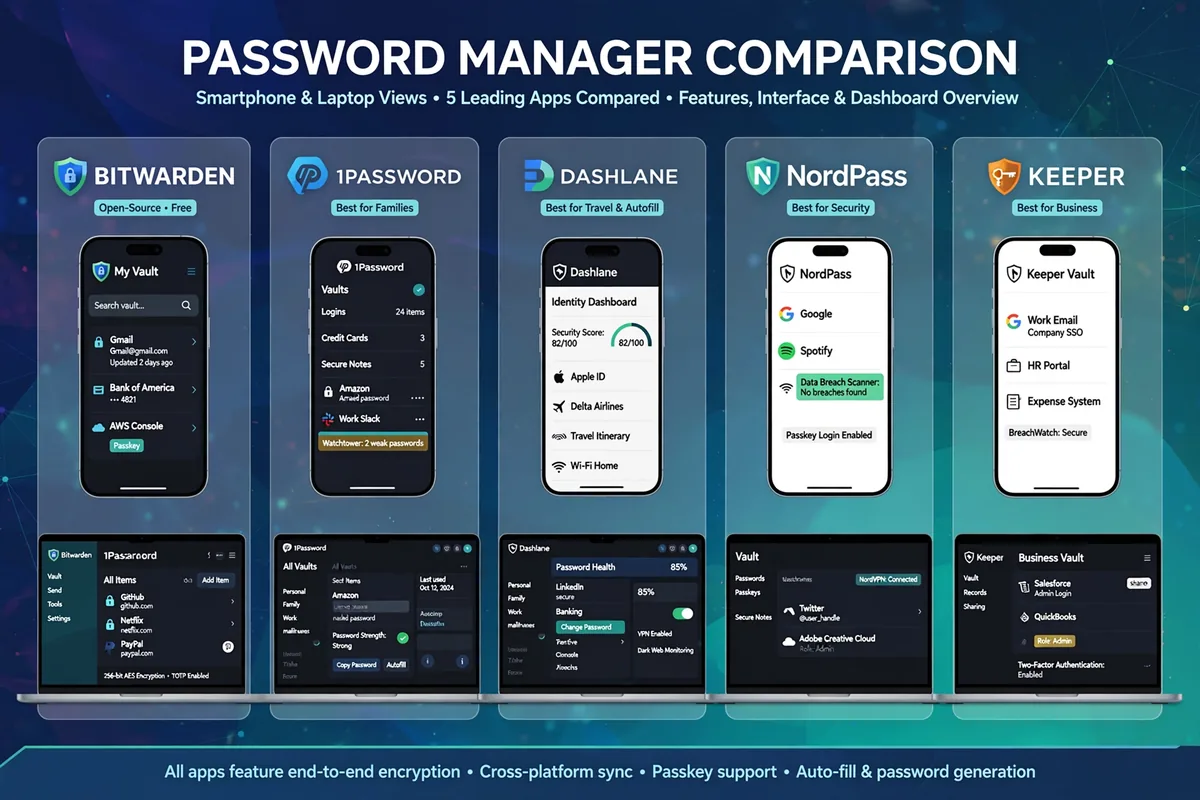
Best Password Managers in 2026: Comparison Table
A side-by-side look at the five cloud password managers on our list, so you can compare the essentials at a glance.
| Password Manager | Free Plan | Personal Price | Family Price | Open Source | Passkey Support |
|---|---|---|---|---|---|
| Bitwarden | Yes, unlimited | ~$19.80/year | ~$40/year (6 users) | Yes | Yes |
| 1Password | Trial only | ~$47.88/year | ~$79.88/year (5 users) | No | Yes |
| NordPass | Yes, 1 device | ~$24/year | ~$31/year (6 users) | No | Yes |
| Dashlane | Trial only | ~$45/year | ~$75/year (10 users) | No | Yes |
| Proton Pass | Yes, generous | ~$24/year | ~$60/year (5 users) | No | Yes |
How to Choose the Right Password Manager for You
The best password manager is the one you will actually use, so match it to your priorities. Every pick below ranks among the best password managers in 2026. Start with a simple workflow:
Strong master password → enable MFA on the vault → import or generate unique passwords → turn on passkeys where offered. That single chain takes you from vulnerable to well-protected in under an hour.
Match the tool to your needs
- Best value: Bitwarden — real free tier, cheap premium, open source.
- Best premium experience: 1Password — polished apps, Travel Mode for travelers.
- Best family budget: NordPass — cheapest family plan with strong audits.
- Best extra monitoring: Dashlane — dark-web alerts and credential-risk scoring.
- Best privacy: Proton Pass — open source under Swiss privacy law.
- Best offline control: KeePassXC — free, local-only database for power users.
One Password Manager to Avoid in 2026
We would be doing readers a disservice not to mention LastPass. Once the world’s most popular password manager, it suffered serious breach incidents in 2022 and 2023 in which attackers exfiltrated encrypted customer vaults — permanently damaging trust in the service. If you still use LastPass, migrating to any of the best password managers in 2026 above is one of the smartest security moves you can make. For background on how these tools work, see the Password manager article on Wikipedia.
FAQs About Password Managers in 2026
Quick answers to common questions about the best password managers in 2026.
Are free password managers safe to use?
Yes, if you pick the right one. Bitwarden and Proton Pass offer genuinely useful free tiers with zero-knowledge encryption, so the provider cannot access your data. Avoid free tools from unknown vendors with no security audits.
Can password managers be hacked?
No widely used password manager has had its core encryption broken. Past incidents involved attackers stealing encrypted vaults — which is why a long, unique master password matters. With strong encryption, a stolen vault stays effectively unreadable.
Do I still need one if my browser offers a password manager?
Browser managers are better than nothing, but they lack key features: weaker sharing and emergency access, and your vault is tied to one browser. A dedicated password manager works everywhere.
What happens if I forget my master password?
Thanks to zero-knowledge encryption, most providers cannot recover it for you — the price of true privacy. Set up emergency access with a trusted contact and keep a written backup somewhere physically secure.
Will passkeys replace password managers?
Not yet. Passkeys remove the need for passwords where supported, but most of the web still needs them — and password managers are the best place to store passkeys too. The two technologies complement each other.
Conclusion: Pick Your Password Manager Today
The best password managers in 2026 share the same foundation: zero-knowledge encryption, passkey support, and apps that work everywhere. Bitwarden is our top overall pick for its unbeatable mix of a real free tier and affordable premium. 1Password wins on polish, NordPass on family budgets, Dashlane on extra monitoring, and Proton Pass on privacy. Pick a tool above, set a strong master password, and turn your password chaos into calm.
