


Projects fail more often from lost information than from lack of effort. Tasks live in chat threads, deadlines hide in inboxes, and nobody knows who is doing what. The best project management software in 2026 solves exactly that: one shared place where plans, files, deadlines, and updates live together.
This guide compares the best project management software 2026 offers — what each platform does best, what it costs, and which teams it fits. Whether you run a five-person startup or coordinate freelancers across time zones, you will find your match here. Strong organization pairs well with good security habits, so teams handling shared logins should also review the best password managers in 2026 before standardizing on a tool.
Why Project Management Software Matters in 2026
Remote and hybrid work made project visibility non-negotiable. When the team is not in one room, “just ask someone” stops working. Modern platforms go beyond task lists with timeline views, dashboards, automations, and AI features that draft plans or summarize progress.
The payoff is measurable. Teams report fewer status meetings, clearer ownership of every task, and earlier warnings when a deadline slips. For a small team, the right tool can replace three or four scattered apps — chat threads, spreadsheets, and shared docs — with a single source of truth.
The 8 Best Project Management Software Tools in 2026
Every tool below is a proven, widely used platform. The table gives the quick comparison; the breakdown explains the trade-offs.
| Tool | Best For | Starting Price | Free Plan |
|---|---|---|---|
| Asana | Structured cross-functional work | ~$10.99/user/mo | Yes |
| monday.com | Visual dashboards and reporting | ~$9/seat/mo | Limited |
| ClickUp | All-in-one value | ~$7/user/mo | Yes (generous) |
| Trello | Simple kanban boards | ~$5/user/mo | Yes |
| Notion | Docs plus light project tracking | ~$10/user/mo | Yes |
| Jira | Software and agile teams | ~$7.75/user/mo | Yes |
| Wrike | Marketing and enterprise operations | ~$10/user/mo | Yes |
| Basecamp | Flat-price simplicity | ~$15/user/mo or $299/mo flat | Trial |
Prices are annual-billing snapshots and change frequently — verify current plans before budgeting.
1. Asana — Best for Structured Cross-Functional Work
Asana balances power and usability: Timeline view (Gantt-style), Portfolios, Goals tracking with OKRs, and Workload planning make it the most polished traditional tracker. With 200+ integrations — Slack, Google Drive, Microsoft Teams — it slots into most stacks easily.
- Strengths: clean task coordination, strong views, reliable automations, intuitive for non-technical users.
- Weaknesses: the free plan is limited, and costs climb on higher tiers.
Choose Asana when tasks pass between departments and you need structured handoffs with clear ownership.
2. monday.com — Best for Visual Dashboards
monday.com has grown from a colorful kanban tool into a full work platform spanning project management, CRM, and development. Its standout feature is reporting: executive-level dashboards pulling data from multiple boards to show project health at a glance.
- Strengths: highly customizable visual boards, excellent dashboards, strong template library.
- Weaknesses: minimum seat requirements on paid plans; pricing gets expensive for larger teams.
Choose monday.com when stakeholders want beautiful, presentation-ready views of project status.
3. ClickUp — Best All-in-One Value
ClickUp packs tasks, docs, goals, time tracking, and dashboards into one workspace at $7 per user per month — the most features per dollar here. Its free plan is generous enough for small teams to run real projects.
- Strengths: unmatched feature depth for the price, flexible views, strong free plan.
- Weaknesses: the flexibility can feel overwhelming; someone needs to own the setup or it turns into clutter.
Choose ClickUp when you want to replace several tools with one and keep costs low.
4. Trello — Best for Simple Kanban Boards
Trello remains the fastest tool to learn: boards, lists, and cards anyone understands in minutes. For simple workflows — content calendars, hiring pipelines, personal projects — it is all you need.
- Strengths: instant setup, drag-and-drop simplicity, solid free plan, Power-Ups for extensions.
- Weaknesses: limited for complex dependencies and advanced reporting.
Choose Trello when your whole plan fits on one board and you want zero training overhead.
5. Notion — Best Docs-Plus-Tasks Combo
Notion is a flexible workspace where documents, databases, and tasks live together. Teams that already keep wikis and meeting notes in Notion can add project tracking without adopting a second tool. If your team is documentation-heavy, the best note-taking apps in 2026 roundup covers complementary options.
- Strengths: unmatched flexibility, docs and tasks in one place, great templates.
- Weaknesses: requires more setup upfront; lighter on native project-management views than dedicated tools.
Choose Notion when your team lives in documents and wants light project tracking in the same space.
6. Jira — Best for Software and Agile Teams
Jira is the standard for software development: sprint planning, issue tracking, roadmaps, and deep DevOps integrations, with AI assistance on paid plans. Overkill for non-technical teams; purpose-built for engineering.
- Strengths: agile workflows done right, powerful issue tracking, strong developer ecosystem.
- Weaknesses: steep learning curve outside engineering; configuration can become a job in itself.
Choose Jira when you run an agile software team and need serious sprint and release management.
7. Wrike — Best for Marketing and Enterprise Operations
Wrike targets high-volume, process-heavy teams — marketing, agencies, professional services — with request forms, proofing and approvals, and resource management smaller tools skip.
- Strengths: strong for campaign workflows, approvals, enterprise-grade reporting.
- Weaknesses: can feel heavy and expensive for small, simple teams.
Choose Wrike when you manage many parallel campaigns or client deliverables with formal approval steps.
8. Basecamp — Best Flat-Price Simplicity
Basecamp deliberately offers fewer features — message boards, to-dos, schedules, file storage — in one calm package. Its flat $299/month unlimited plan beats every per-seat price once a team passes about twenty people.
- Strengths: one predictable price, minimal learning curve, calm by design.
- Weaknesses: no AI features, less visual project tracking, fewer integrations.
Choose Basecamp when your team explicitly wants less software, not more — and hates per-seat math.
Key Features to Look for in Project Management Software
Before comparing brands, know which capabilities actually matter for your work:
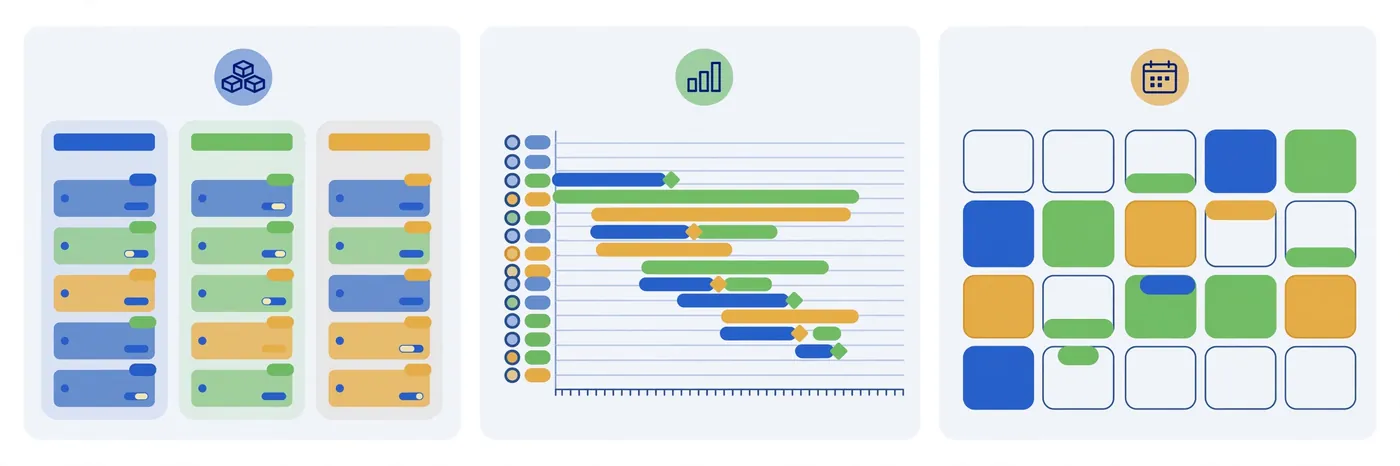
- Multiple views: kanban boards, lists, timelines, and calendars — different work needs different views of the same data.
- Dependencies and timelines: essential once tasks run in sequence.
- Automations: rules that assign, move, or notify without manual busywork.
- Reporting dashboards: leadership needs project health at a glance, not a tour of every board.
- Integrations: it must connect to your chat, calendar, and file storage.
- Mobile apps: field teams need full access on the go.
- Permissions and guest access: clients and contractors should see their work without seeing everything.
How Do You Choose the Right Tool for Your Team?
Ask two sharp questions first. What is the single biggest project headache right now — lost status updates, missed handoffs, or chaotic files? And how many people will actually log in every day? The answers narrow the field fast: status chaos points to Trello or monday.com, dropped handoffs point to Asana or ClickUp, and a docs-centric team points to Notion.
Then run a two-week pilot: put one real project in your top two contenders and see which one the team opens without reminders. The tool people use beats the tool with the longest feature list.
Pricing at a Glance: What Project Management Software Costs in 2026
Most platforms price per user per month, with annual billing discounts of roughly 15–20%. Budget options (Trello ~$5, ClickUp ~$7) suit small teams; the mainstream tier (monday.com ~$9, Asana ~$10.99, Notion ~$10) suits growing companies, with AI add-ons often extra. Free plans cover real work for teams under about ten people — upgrade only when you hit real limits. Basecamp’s flat $299/month unlimited plan is the outlier worth modeling for large teams.
Common Mistakes Teams Make With Project Management Tools
- Buying before piloting: a demo never reveals whether your team will actually use it. Pilot first.
- Over-customizing on day one: complex setups nobody understands get abandoned. Start simple.
- Two sources of truth: if half the team still tracks work in spreadsheets, the tool has failed. Migrate fully.
- Skipping onboarding: a one-hour team walkthrough beats a month of confused adoption.

Project Management: The Bigger Picture
For the formal background on the field these tools serve — planning, scheduling, and resource management — the project management article on Wikipedia is a reliable starting point.
Frequently Asked Questions
What is the best project management software for small teams in 2026?
ClickUp offers the best value with its generous free plan and $7/user/month pricing. Trello is the simplest to adopt, and Asana is the most polished option if your budget stretches to $10.99/user/month.
Is there a completely free project management tool?
ClickUp, Trello, Notion, Asana, and Jira all offer free plans. They cover real project work for small teams, though each caps some combination of users, storage, or advanced features.
Which is better: Asana or monday.com?
Asana wins on structured task coordination; monday.com wins on visual dashboards and customization. Pick Asana for process-driven teams and monday.com when reporting matters most.
Do I need project management software for a team of three?
Probably yes — a free Trello board or Notion workspace costs nothing and prevents the task chaos that kills small-team momentum. Upgrade when you need timelines, automations, or reporting.
What does project management software typically cost?
Expect $5–$11 per user per month on annual billing for mainstream tools, with free plans for small teams and enterprise tiers above that.
Final Thoughts
The best project management software in 2026 is the one your team will actually open every day. Shortlist two tools, pilot both on a real project, and let usage decide. Start free, keep the setup simple, and treat the tool as a shared habit. Get that right, and missed deadlines become the exception.
